Spring Boot backend refactor to use spring data rest

I’ve been on a bit of a journey of discovery within the spring framework. Half my problem is working out why you’d use something, and relating it back to what I already know and have done in the past.

I’ve done a tutorial using spring data rest, and it seems really powerful. However, there’s little opportunity to add an service layers for transactional database updates. There’s also no Controllers, like I’ve had in other tutorials. I’m finding this a bit odd, as working in Enterprise Java environments in the past, there was a lot of business logic before we got anywhere near the database.

However, I’m embracing this simplicity for now so that I can concentrate on an angular app that consumes the data. Then I’ll be happy that I have something working and can apply all the other necessary things to… like security for starters!

Here’s the code so far.

Main application and properties file:

//BTJLApplication.java
package com.backtojavaland;

import org.springframework.boot.SpringApplication;
import org.springframework.boot.autoconfigure.SpringBootApplication;
import org.springframework.stereotype.Controller;
import org.springframework.web.bind.annotation.RequestMapping;

@SpringBootApplication
public class BTJLApplication {
		
	public static void main(String[] args) {
		SpringApplication.run(BTJLApplication.class, args);
	}

}
#application.properties
spring.datasource.url=jdbc:h2:mem:testdb
spring.h2.console.enabled=true
spring.h2.console.path=/h2
server.servlet.path=/api

The entities and the repositories for them – User and Article:

package com.backtojavaland.user;

import javax.persistence.Entity;
import javax.persistence.GeneratedValue;
import javax.persistence.GenerationType;
import javax.persistence.Id;
import lombok.Getter;
import lombok.Setter;

@Entity
@Setter @Getter
public class User {
	@Id
	@GeneratedValue(strategy = GenerationType.AUTO)
	private Long userId;
	private String firstname;
	private String surname;
	
	public User() {}
	public User(String firstname, String surname) {
		this.firstname = firstname;
		this.surname = surname;
	}	
}
package com.backtojavaland.user;

import org.springframework.data.repository.PagingAndSortingRepository;
import org.springframework.data.rest.core.annotation.RepositoryRestResource;

@RepositoryRestResource(collectionResourceRel = "user", path="user")
public interface UserRepository extends PagingAndSortingRepository<User, Long>{}
package com.backtojavaland.article;

import javax.persistence.Entity;
import javax.persistence.GeneratedValue;
import javax.persistence.GenerationType;
import javax.persistence.Id;
import lombok.Getter;
import lombok.Setter;

@Entity
@Setter @Getter
public class Article {
	@Id
	@GeneratedValue(strategy = GenerationType.AUTO)
	private int articleId;
	private String title;
	private String summary;

	public Article() {}
	public Article(String title, String summary) {
		this.title = title;
		this.summary = summary;
	}
}
package com.backtojavaland.article;

import org.springframework.data.jpa.repository.JpaRepository;
import org.springframework.data.rest.core.annotation.RepositoryRestResource;

@RepositoryRestResource(collectionResourceRel = "article", path="article")
public interface ArticleRepository extends JpaRepository<Article, Integer> {}

Under src/main/resources I have a data.sql file that gets loaded into a h2 in-memory database. I took the articles from the bbc science and nature rss feed for examples:

INSERT INTO article (article_id, title, summary) values(1, 'Nasa 2020 robot rover to target Jezero ''lake'' crater', 'America''s next robot rover will be sent to a 50km-wide depression that once had water running through it.');
INSERT INTO article (article_id, title, summary) values(2, 'The physicist called Einstein - but not the one you think', 'There is debate around how much Albert Einstein''s first wife, Mileva, contributed to his discoveries.');
INSERT INTO article (article_id, title, summary) values(3, 'Elon Musk renames his BFR spacecraft Starship', 'The entrepreneur would not reveal why he had renamed the craft, which has still not yet been built.');
INSERT INTO article (article_id, title, summary) values(4,'E. coli outbreak: Romaine lettuce probed in US and Canada', 'At least 50 people in the US and Canada have been infected, health officials say.');
INSERT INTO article (article_id, title, summary) values(5, 'Dead sperm whale found in Indonesia had ingested ''6kg of plastic''', 'The dead sperm whale, which washed ashore in Indonesia, had ingested nearly 6kg of plastic waste.');
INSERT INTO article (article_id, title, summary) values(6, 'Climate change: Report raises new optimism over industry', 'Cutting emissions from heavy industry would generate savings and boost economic growth, commission argues.');
INSERT INTO article (article_id, title, summary) values(7, 'UK industry to make new ''Hotbirds''', 'British industry will build new spacecraft for telecoms operator Eutelsat''s flagship TV distribution network.');
INSERT INTO article (article_id, title, summary) values(8, 'Wombat poop: Scientists reveal mystery behind cube-shaped droppings', 'Scientists discover how the marsupials are the only known species producing cube-shaped faeces.');
INSERT INTO article (article_id, title, summary) values(9, 'Ash dieback: Seed orchards could help species recover sooner', 'A scientist at the John Innes Centre in Norwich says resistant seeds could help beat the fatal disease.');
INSERT INTO article (article_id, title, summary) values(10,'Kilogram gets a new definition', 'Scientists take the massive decision to change the definition of the kilogram.');
INSERT INTO article (article_id, title, summary) values(11,'Greenland ice sheet hides huge ''impact crater''', 'Scientists find evidence that an iron asteroid slammed into the Earth deep inside the Arctic Circle.');
INSERT INTO article (article_id, title, summary) values(12,'Climate change: Worries over CO2 emissions from intensifying wildfires', 'Rising numbers of extreme wildfires could result in a significant increase in CO₂ emissions, scientists have warned.');
INSERT INTO article (article_id, title, summary) values(13,'Exoplanet discovered around neighbouring star', 'Astronomers have discovered a planet around one of the closest stars to our Sun.');
INSERT INTO article (article_id, title, summary) values(14,'Climate change: Report says ''cut lamb and beef''', 'The number of sheep and cattle in the UK should be reduced to help combat climate change, a report says.');
INSERT INTO article (article_id, title, summary) values(15,'''Conservation successes'' bring hope for mountain gorilla', 'Mountain gorilla: Conservation efforts appear to be paying off for large, charismatic animals.');

INSERT INTO user (user_id, firstname, surname) values(1, 'Ada', 'Lovelace');
INSERT INTO user (user_id, firstname, surname) values(2, 'Grace', 'Hopper');
INSERT INTO user (user_id, firstname, surname) values(3, 'Hedy', 'Lamarr');
INSERT INTO user (user_id, firstname, surname) values(4, 'Jean', 'Bartik');
INSERT INTO user (user_id, firstname, surname) values(5, 'Marissa', 'Mayer');
INSERT INTO user (user_id, firstname, surname) values(6, 'Francis', 'Allen');
INSERT INTO user (user_id, firstname, surname) values(7, 'Barbara', 'Liskov');
INSERT INTO user (user_id, firstname, surname) values(8, 'Shafi', 'Goldwasser');
INSERT INTO user (user_id, firstname, surname) values(9, 'Karen', 'Spark Jones');
INSERT INTO user (user_id, firstname, surname) values(10, 'Mirella', 'Lapata');
INSERT INTO user (user_id, firstname, surname) values(11, 'Diane', 'Kelly');
INSERT INTO user (user_id, firstname, surname) values(12, 'Emine', 'Yilmaz');
INSERT INTO user (user_id, firstname, surname) values(13, 'Jaime', 'Teevan');

My Angular app is also set up to send log messages back to the server, so I have a Log class that just displays it on the console:

package com.backtojavaland.log;

import org.springframework.web.bind.annotation.PostMapping;
import org.springframework.web.bind.annotation.RequestBody;
import org.springframework.web.bind.annotation.RestController;

@RestController
public class Log {
	@PostMapping("/logs")
	public void getLog(@RequestBody String request) {
		System.out.println(request);
	}
}

My pom.xml file has the following dependencies:

spring-boot-starter-web
spring-boot-starter-test
h2
mysql-connector-java
spring-boot-starter-data-jpa
spring-boot-starter-data-rest
lombok

The mysql connector dependency is used in test. I have a Run Configuration set up with a program argument of –spring.profiles.active=test and an application-test.properties file set up to connect to a mysql database. I haven’t updated the schema of it whilst playing around, so it probably won’t work.

If I run the spring application on http://localhost:8080/api/article I get all the articles, and when I append the id I get the first one. Similarly http://localhost:8080/api/user I get all the users, and I can get a specific user by appending the id: http://localhost:8080/api/user/10.

I haven’t gone into the Angular app changes yet, but here is what it looks like so far with two components, user and article, squished unceremoniously onto the front page 🙂
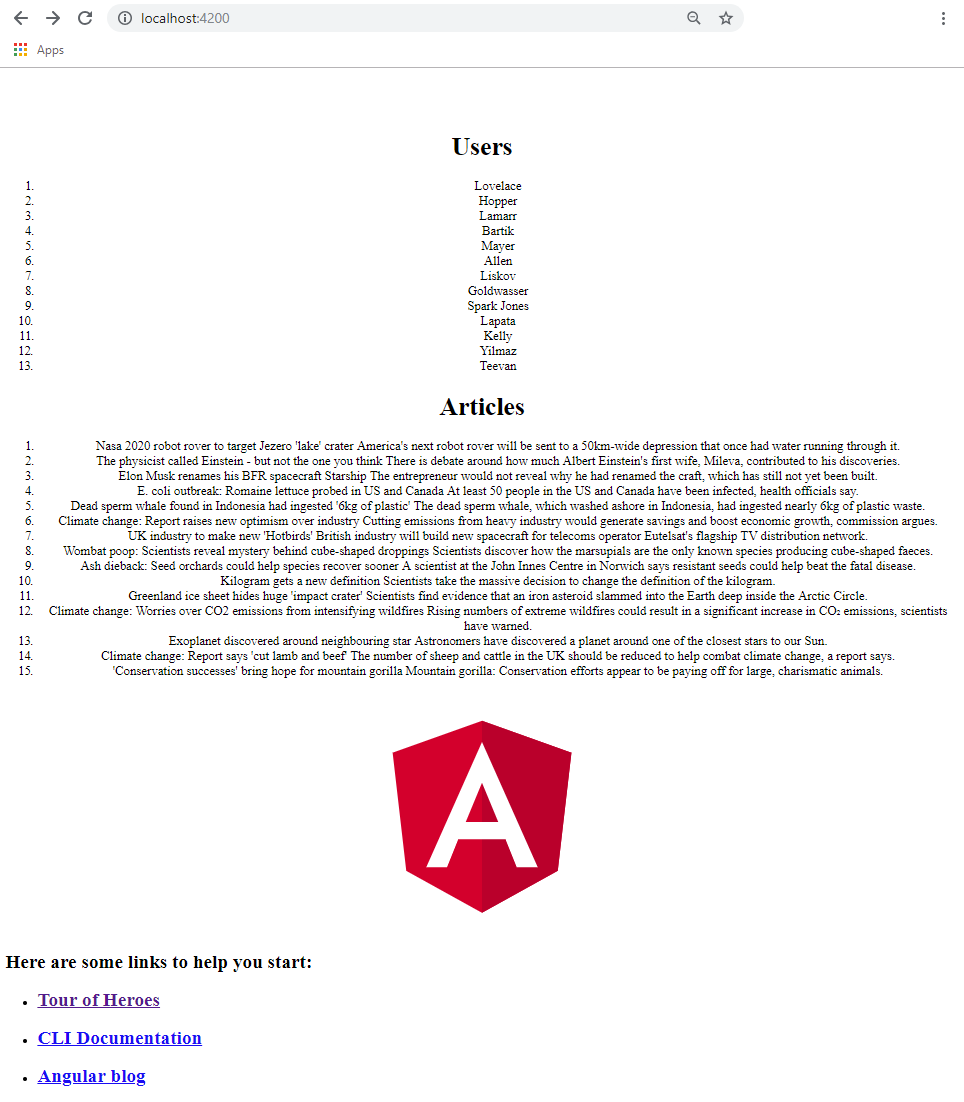
Angular application accessing the restful web services provided by spring-data-rest.

It’s awesome to think that the front-end app is connecting to my rest service. I’m following the Tour if Heroes example and adding to the app as I go.


h2 database muddling order of columns

It seems that when using @Entity on a class to provide the schema for the h2 database, the order of the columns does not follow the order you’ve specified the class members.

I have a class called article:

package com.backtojavaland.article;

import javax.persistence.Entity;
import javax.persistence.GeneratedValue;
import javax.persistence.GenerationType;
import javax.persistence.Id;
import lombok.Getter;
import lombok.Setter;

@Entity
@Setter @Getter
public class Article {
	@Id
	@GeneratedValue(strategy = GenerationType.AUTO)
	private int articleId;
	
	private String title;
	private String summary;

	public Article() {}
	
	public Article(String title, String summary) {
		this.title = title;
		this.summary = summary;
	}
}

I have a data.sql file to insert some data to start off with:

INSERT INTO article values(1, 'Nasa 2020 robot rover to target Jezero ''lake'' crater', 'America''s next robot rover will be sent to a 50km-wide depression that once had water running through it.');

Note: The single quotes and apostrophes have to be escaped.

However, the data wasn’t right. The title and summary were swapped around. To sort this out I had to specify the column names in the INSERT statement. I suppose its much better practice to do this anyway.

INSERT INTO article (article_id, title, summary) values(1, 'Nasa 2020 robot rover to target Jezero ''lake'' crater', 'America''s next robot rover will be sent to a 50km-wide depression that once had water running through it.');

I also had to remove my schema.sql file as this wasn’t loading anything into the database. I’m sure it worked before. Oh well.

Spring Boot and Angular Tutorial recap

Spring Boot application

These are two applications that are connected but are source-controlled, developed and deployed separately.

The Spring app uses a h2 database, the main application sets up some initial data, using a model and a repository. We also have a logging endpoint to collect client-side Angular logs.

Create a normal Spring Boot app with the Initializer web tool or in STS with the following dependencies:

  • spring-boot-starter-data-jpa
  • spring-boot-starter-data-rest
  • spring-boot-starter-web
  • spring-boot-starter-test
  • h2

And optionally:

  • spring-boot-devtools
  • lombok

The Java code goes under src/main/java in the package com.backtojavaland and contains only 4 files.

  • Application.java
  • User.java
  • UserRepository.java
  • Log.java
//Application.java
package com.backtojavaland;

import org.springframework.beans.factory.annotation.Autowired;
import org.springframework.boot.CommandLineRunner;
import org.springframework.boot.SpringApplication;
import org.springframework.boot.autoconfigure.SpringBootApplication;

@SpringBootApplication
public class Application implements CommandLineRunner {

	@Autowired
	UserRepository userRepository;
	
	public static void main(String[] args) {
		SpringApplication.run(Application.class, args);
	}
	
	//bootstrap database at start of application
	public void run(String... strings) throws Exception {
		userRepository.save(new User("Ada","Lovelace"));
		userRepository.save(new User("Grace","Hopper"));
	}
}

Here we’re using CommandLineRunner to add a few lines to the database. An alternative way would be to create schema.sql and data.sql files. I’d do this if using a MySQL database. See https://docs.spring.io/spring-boot/docs/current/reference/html/howto-database-initialization.html.

//User.java
package com.backtojavaland;

import javax.persistence.Entity;
import javax.persistence.GeneratedValue;
import javax.persistence.GenerationType;
import javax.persistence.Id;

@Entity
public class User {

	@Id
	@GeneratedValue(strategy = GenerationType.AUTO)
	private Long id;
	private String name;
	private String surname;
	
	public User() {} 
	
	public User(String name, String surname) {
		this.name = name;
		this.surname = surname;
	}
	
	//getters and setters
}

@Entity, a simple User domain object, we need no-arg constructor for JPA. 

//UserRepository.java
package com.backtojavaland;

import org.springframework.data.repository.PagingAndSortingRepository;
import org.springframework.data.rest.core.annotation.RepositoryRestResource;

@RepositoryRestResource(collectionResourceRel = "user", path="user")
public interface UserRepository extends PagingAndSortingRepository<User, Long>{

}

This is just magic! We use the PagingAndSortingRepository interface to handle CRUD operations for us. The @RepositoryRestResource annotation allows us to optionally customize the REST endpoint. It defaults to the name of the domain object, and we just reiterate that here.

Now lets add a simple logging endpoint that just prints things out for now to the console:

//Log.java
package com.backtojavaland;

import org.springframework.web.bind.annotation.PostMapping;
import org.springframework.web.bind.annotation.RequestBody;
import org.springframework.web.bind.annotation.RestController;

@RestController
public class Log {

	@PostMapping("/logs")
	public void getLog(@RequestBody String request) {
		System.out.println(request);
	}
}
#application.properties

# make sure all REST endpoints exposed by spring boot app is under /api url
server.servlet.context-path=/api

# H2 Web Console (H2ConsoleProperties)
spring.h2.console.enabled=false # Whether to enable the console.
spring.h2.console.path=/h2-console # Path at which the console is available.
spring.h2.console.settings.trace=false # Whether to enable trace output.
spring.h2.console.settings.web-allow-others=false # Whether to enable remote access.

Build and runs on http://localhost:8080 and has two endpoints:

  • /users – has ?page, ?size and ?sort options
  • /profile – has metadata for application

Spring Data REST automatically follows the principles of HATEOAS too, so the content-type returned is application/hal+json.

As we already have some data in the database, we can search for them:

http://localhost:8080/users/search/findByName?name=test

There are lots of methods provided by the PagingAndSortingRepository that we can use ‘out-of-the-box’. See https://www.baeldung.com/spring-data-repositories for a quick overview.

Angular application

Create an angular application called angular-frontend.

Add a new file called proxy.conf.json:

{
	"/api":{
		"target" : "http://localhost:8080",
		"secure" : false	
	}
}

Modify package.json to load up the proxy-config file.

You’ll need to use npm start to pick this file up in future!

"start": "ng serve --proxy-config proxy.conf.json",

Now add the application code.

//app.module.ts
import { BrowserModule } from '@angular/platform-browser';
import { NgModule } from '@angular/core';
import { AppComponent } from './app.component';
import { LoggerModule, NgxLoggerLevel } from 'ngx-logger';

@NgModule({
  declarations: [
    AppComponent
  ],
  imports: [
    BrowserModule,
    LoggerModule.forRoot({serverLoggingUrl: '/api/logs', level: NgxLoggerLevel.DEBUG, serverLogLevel: NgxLoggerLevel.ERROR}),
  ],
  providers: [],
  bootstrap: [AppComponent]
})
export class AppModule { }

Notice that we’ve added a logger and set it up to log to the server. We have a rest endpoint that just prints this out on the console for now.

//app.component.ts
import { Component } from '@angular/core';
import { NGXLogger } from 'ngx-logger';
import { Injectable } from '@angular/core';
import { HttpClient } from '@angular/common/http';
import { Observable } from 'rxjs';
import { map } from 'rxjs/operators';

@Component({
  selector: 'app-root',
  templateUrl: './app.component.html',
  styleUrls: ['./app.component.css'],
  providers: [NGXLogger]
})
export class AppComponent {
  title = 'frontend';
  users;

  constructor(public http: HttpClient, private logger: NGXLogger){
  	this.logger.debug('Your log message goes here');
    this.logger.debug('Multiple', 'Argument', 'support');
  	this.getUser().subscribe(
  		res => this.users = res._embedded.user,
  		error => console.log(error)
  	);
  	
  }

  getUser(): Observable<any>{
  	return this.http.get('http://localhost:4200/api/user').pipe(
		map(respnse => <string[]> respnse)
	);
        
  }
}

Notice I’ve put a few logging comments in here. Angular logs to the client by default.

And then to see the data, a html file:

<h1>
	Hi! {{ title }}
</h1>

<ol>
	<li *ngFor="let user of users">
		{{user.name}}
		{{user.surname}}
	</li>
</ol>

To run the applications they need to be deployed separately. The Spring Application is launched on http://localhost:8080 and the Angular application on 
http://localhost:4200. The angular app talks to the spring boot application via REST and gets the data.

The front-end angular application gets the data from the Spring application and displays it.
Notice the logging messages on the client. We see these by using the browser development tools.
The same information is logged out to the Spring console as we have configured the angular logger to send all messages to the Spring application.

I’m really happy with this example, it’s a great starting point. Now, let’s make it pretty by adding Bootstrap.

staticInjectorError(Platform: core)[AppComponent -> Http]: NullInjectorError: No provider for Http!

I went around and around in circles with this problem yesterday. Today, it seems to work, and I think I know why. I was following the advice given in this stackOverflow answer https://stackoverflow.com/questions/47492475/no-provider-for-http-staticinjectorerror and I converted everything as suggested:

Update: Angular v6+
For Apps converted from older versions (Angular v2 – v5): HttpModule is now deprecated and you need to replace it with HttpClientModule or else you will get the error too.
In your app.module.ts replace import { HttpModule } from '@angular/http'; with the new HttpClientModule import { HttpClientModule} from "@angular/common/http"; Note: Be sure to then update the modules imports[] array by removing the old HttpModule and replacing it with the new HttpClientModule.
In any of your services that used HttpModule replace import { Http } from '@angular/http'; with the new HttpClient import { HttpClient } from '@angular/common/http';
Update how you handle your Http response. For example – If you have code that looks like this
http.get('people.json').subscribe((res:Response) => this.people = res.json());
The above code example will result in an error. We no longer need to parse the response, because it already comes back as JSON in the config object.
The subscription callback copies the data fields into the component’s config object, which is data-bound in the component template for display.
For more information please see the – Angular HttpClientModule – Official Documentation

However, I couldn’t get it to work. This morning I was solving a different problem and I ended up changing the app.module.ts file and removing the HttpClientModule import. In the app.component.ts I kept the HttpClient import and in the class I used it as follows with updates to the pipe, map bit in the tutorial:

getUser(): Observable<any>{
  	return this.http.get('http://localhost:4200/api/user').pipe(
		map(respnse => <string[]> respnse)
	);
}

Now it works!!!!

ERROR in AppComponent cannot be used as an entry component.

Urgh! I got so bored with this error, I didn’t know what was going on.

I found out that there was a problem with my AppComponent which meant that my AppModule was complaining. What problem though? I had to compile my angular code to find out. When I used ng build or ng serve, I couldn’t work out what the problem was from the browser. Granted, this is all new to me, but I expected there to be a line number and a bit of searching in stackOverflow. However, I found that I could compile my code Ahead-Of-Time using this command: ng build –aot

Then I actually found the problem:

ERROR in : Unexpected value ‘AppComponent in C:/single-page/frontend/src/app/app
.component.ts’ declared by the module ‘AppModule in C:/single-page/frontend/src/
app/app.module.ts’. Please add a @Pipe/@Directive/@Component annotation.
src/app/app.component.ts(8,2): error TS2554: Expected 1 arguments, but got 0.

I had been trying to get the HTTP stuff to work and it wasn’t, and had changed the @Component to @Injectable for some reason. I must have copied it from somewhere. Anyway, I changed that and it worked. 

Note, you can get this error if you don’t format the @Component right too, for example if you stick a semi-colon on the end of it. 

@Component({})       – is ok

@Component({});     – is not ok

Errors importing from rxjs, v5 to v6 changes needed.

The example gave:

import { Observable } from 'rxjs/Observable';
import 'rxjs/add/operator/map';
import 'rxjs/add/operator/catch';
import 'rxjs/add/observable/throw';

but I had to change it to:

import { Observable } from 'rxjs';
import { map, catchError } from 'rxjs/operators';

This is because of updates moving from RxJS v5.x to v6 in August 2018. In my package.json file, I’m using  “rxjs”: “~6.3.3”

The previous coding style of chaining operators has been replaced by piping the result of one operator to another. Pipeable operators were added in version 5.5.

public isLoggedIn(username: string, password: string): Observable<boolean> {
    let headers = new Headers({'Content-Type':'X-custom'});
    let option = new RequestOptions({headers: headers});
    return this.http.get('./assets/login.json', option).pipe(
        map((res: Response) => {
            return res.json().username === username &&
                   res.json().password === password;
        }),
        catchError((error: any) => {
            return Observable.throw(error.statusText)
        }));
}

https://github.com/ReactiveX/rxjs/blob/master/docs_app/content/guide/v6/migration.md

Create a module, component

We’re using the CLI to create all the stuff we need. He says to open in IDE but he doesn’t say what IDE. I’ve got Atom, so I’m using that. Here I’m going to create a module, a component, and show that component’s styled html in the browser on localhost:4200.


Create a module

C:\git\login-app>ng g module login
CREATE src/app/login/login.module.ts (189 bytes)

The module is created under \login-app\src\app\login and contains one file  login.module.ts

import { NgModule } from '@angular/core';
import { CommonModule } from '@angular/common';

@NgModule({
declarations: [],
imports: [
CommonModule
]
})
export class LoginModule { }

The module is created. I just needed to add my new module to the application. See where is says export class LoginModule { }, well that’s the name I need to import into the main app (in bold).

import { BrowserModule } from '@angular/platform-browser';
import { NgModule } from '@angular/core';
import { AppComponent } from './app.component';
import { LoginModule } from './login/login.module';

@NgModule({
declarations: [
AppComponent
],
imports: [
BrowserModule,
LoginModule
],
providers: [],
bootstrap: [AppComponent]
})
export class AppModule { }

The example he show on screen he has FormsModule and HttpModule extra. I don’t know if it’s a vanilla CLI created project, or if he’s already added stuff to it and we’ll do that in the future?

import { BrowserModule } from '@angular/platform-browser';
import { NgModule } from '@angular/core';
import { FormsModule } from '@angular/forms';
import { HttpModule } from '@angular/http';
import { AppComponent } from './app.component';
import { LoginModule } from './login/login.module';

These are included in the imports bit too.


Create a component

Inside the module we can now create a component. We have to go inside the module first on the command line to login-app\src\app\login.

C:\git\login-app\src\app\login>ng g component authentication
CREATE src/app/login/authentication/authentication.component.html (33 bytes)
CREATE src/app/login/authentication/authentication.component.spec.ts (684 bytes)
CREATE src/app/login/authentication/authentication.component.ts (301 bytes)
CREATE src/app/login/authentication/authentication.component.css (0 bytes)
UPDATE src/app/login/login.module.ts (297 bytes)

A new folder is created under C:\git\login-app\src\app\login called authentication. It contains the html, css, spec (don’t know what that is – tests?) and the TypeScript class for the component. In the LoginModule created above, the component has been automatically added as an import and added to the declarations parameter. But we also have to add it to the exports to make it usable to any other modules that may use this module.

import { NgModule } from '@angular/core';
import { CommonModule } from '@angular/common';
import { AuthenticationComponent } from './authentication/authentication.component';
@NgModule({
  declarations: [AuthenticationComponent],
  imports: [CommonModule],
  exports: [AuthenticationComponent]
})
export class LoginModule { }

Show component

Let’s customize the html and css of the new component.

C:\git\login-app\src\app\login\authentication has all the files.

authentication.component.css

p {color: red;}

authentication.component.html

<p>Login component</p>

authentication.component.ts

import { Component, OnInit } from '@angular/core';
@Component({
  selector: 'app-authentication',
  templateUrl: './authentication.component.html',
  styleUrls: ['./authentication.component.css']
})
export class AuthenticationComponent implements OnInit {
  constructor() {}
  ngOnInit() {}
}

The bit we need is selector: ‘app-authentication’. This is the tag we need to use in the main application’s html page, to show our component.

C:\git\login-app\src\app\app.component.html

I just shoved it in under the title (in bold).

<!--The content below is only a placeholder and can be replaced.-->

Welcome to {{ title }}!

Angular Logo
<app-authentication></app-authentication> <h2>Here are some links to help you start: </h2> <ul> <li><h2><a target="_blank" rel="noopener" href="https://angular.io/tutorial">Tour of Heroes</a></h2></li> <li><h2><a target="_blank" rel="noopener" href="https://github.com/angular/angular-cli/wiki">CLI Documentation</a></h2></li> <li><h2><a target="_blank" rel="noopener" href="https://blog.angular.io/">Angular blog</a></h2></li> </ul>

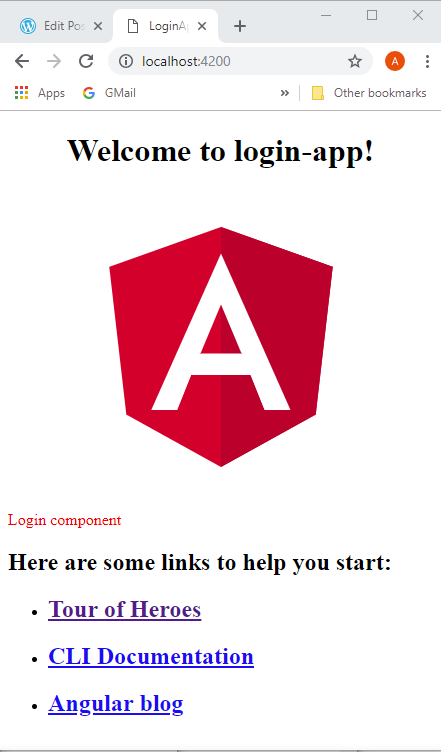
Does it work? Yey!

angular2-2

OK, so now I kinda know what I’m doing, I don’t want to document the whole tutorial as I go along as it’s taking too long, and is probably against copyright (although what I’ve done so far is widely documented in tutorials across the web). I’ll just highlight any problems… of which there’ll be none… there’s positive thinking for you! 🙂

New tutorial started! O’Reilly Learning Path: Learning Web Application with Spring 5 and Angular 2 – Mario Romano

Ok, the other one sucked… it was just an overview of loads of stuff and no hand-holding… I need hand-holding as everything is all still so new.

I already have Node.js, and I have already created one Angular app, so I have the CLI too. He suggests updating it.

PS C:\xxx\git\spring5-angular2-mario-romano> node -v
v10.13.0
PS C:\xxx\git\spring5-angular2-mario-romano> npm -v
6.4.1
PS C:\xxx\git\spring5-angular2-mario-romano> npm update @angular/cli
PS C:\xxx\git\spring5-angular2-mario-romano> ng version

_ _ ____ _ ___
/ \ _ __ __ _ _ _| | __ _ _ __ / ___| | |_ _|
/ △ \ | '_ \ / _` | | | | |/ _` | '__| | | | | | |
/ ___ \| | | | (_| | |_| | | (_| | | | |___| |___ | |
/_/ \_\_| |_|\__, |\__,_|_|\__,_|_| \____|_____|___|
|___/


Angular CLI: 7.0.3
Node: 10.13.0
OS: win32 x64
Angular:
...

Package Version
------------------------------------------------------
@angular-devkit/architect 0.10.3
@angular-devkit/core 7.0.3
@angular-devkit/schematics 7.0.3
@schematics/angular 7.0.3
@schematics/update 0.10.3
rxjs 6.3.3
typescript 3.1.3

Let’s create a login app: > ng new login-app

From another tutorial I remember that they added stuff to the CLI, so I chose:

PS C:\xxx\git\spring5-angular2-mario-romano> ng new login-app
? Would you like to add Angular routing? No
? Which stylesheet format would you like to use? CSS

Well, it took a couple of minutes and some strange stuff happened in PowerShell.

PS C:\xxx\git\spring5-angular2-mario-romano> ng new login-app
? Would you like to add Angular routing? No
? Which stylesheet format would you like to use? CSS
CREATE login-app/angular.json (3795 bytes)
CREATE login-app/package.json (1316 bytes)
   ...etc...
npm WARN deprecated circular-json@0.5.9: CircularJSON is in maintenance only, flatted is its successor.

> node-sass@4.9.3 install C:\xxx\git\spring5-angular2-mario-romano\login-app\node_modules\node-sass
> node scripts/install.js

Cached binary found at C:\xxx\AppData\Roaming\npm-cache\node-sass\4.9.3\win32-x64-64_binding.node

> node-sass@4.9.3 postinstall C:\xxx\git\spring5-angular2-mario-romano\login-app\node_modules\node-sass
> node scripts/build.js

Binary found at C:\xxx\git\spring5-angular2-mario-romano\login-app\node_modules\node-sass\vendor\win32-x64-64\binding.node
Testing binary
Binary is fine
npm WARN optional SKIPPING OPTIONAL DEPENDENCY: fsevents@1.2.4 (node_modules\fsevents):
npm WARN notsup SKIPPING OPTIONAL DEPENDENCY: Unsupported platform for fsevents@1.2.4: wanted {"os":"darwin","arch":"any
"} (current: {"os":"win32","arch":"x64"})

added 1097 packages from 1163 contributors and audited 39132 packages in 262.922s
found 0 vulnerabilities

OK, this all seems fine. Then loads of these for different files:

warning: LF will be replaced by CRLF in .editorconfig.
The file will have its original line endings in your working directory.

Successfully initialized git.

Then things went weird! It looks like the console output was trying to run in  PowerShell, and PowerShell was complaining about it.

PS C:\xxx\git\spring5-angular2-mario-romano> PS C:\xxx\git\spring5-angular2-mario-romano> ng version
Get-Process : A positional parameter cannot be found that accepts argument 'ng'.
At line:1 char:1
+ PS C:\xxx\git\spring5-angular2-mario-romano> ng version
+ ~~~~~~~~~~~~~~~~~~~~~~~~~~~~~~~~~~~~~~~~~~~~~~~~~~~~~~~~~~~~~~~
+ CategoryInfo : InvalidArgument: (:) [Get-Process], ParameterBindingException
+ FullyQualifiedErrorId : PositionalParameterNotFound,Microsoft.PowerShell.Commands.GetProcessCommand

PS C:\xxx\git\spring5-angular2-mario-romano>
PS C:\xxx\git\spring5-angular2-mario-romano> _ _ ____ _ ___
_ : The term '_' is not recognized as the name of a cmdlet, function, script file, or operable program. Check the
spelling of the name, or if a path was included, verify that the path is correct and try again.
At line:1 char:6
+ _ _ ____ _ ___
+ ~
+ CategoryInfo : ObjectNotFound: (_:String) [], CommandNotFoundException
+ FullyQualifiedErrorId : CommandNotFoundException

PS C:\xxx\git\spring5-angular2-mario-romano> / \ _ __ __ _ _ _| | __ _ _ __ / ___| | |_ _|
>> / △ \ | '_ \ / _` | | | | |/ _` | '__| | | | | | |
>> / ___ \| | | | (_| | |_| | | (_| | | | |___| |___ | |
>> /_/ \_\_| |_|\__, |\__,_|_|\__,_|_| \____|_____|___|
>> |___/
>>
At line:1 char:29
+ / \ _ __ __ _ _ _| | __ _ _ __ / ___| | |_ _|
+ ~
An empty pipe element is not allowed.
At line:1 char:52
+ / \ _ __ __ _ _ _| | __ _ _ __ / ___| | |_ _|
+ ~
An empty pipe element is not allowed.
At line:1 char:54
+ / \ _ __ __ _ _ _| | __ _ _ __ / ___| | |_ _|
+ ~
An empty pipe element is not allowed.
At line:2 char:12
+ / △ \ | '_ \ / _` | | | | |/ _` | '__| | | | | | |
+ ~~~~~~~~~~~~~~~~~~~~~~~~~~~
Expressions are only allowed as the first element of a pipeline.
At line:2 char:39
+ / △ \ | '_ \ / _` | | | | |/ _` | '__| | | | | | |
+ ~~
Unexpected token '__' in expression or statement.
At line:2 char:42
+ / △ \ | '_ \ / _` | | | | |/ _` | '__| | | | | | |
+ ~
An empty pipe element is not allowed.
At line:2 char:46
+ / △ \ | '_ \ / _` | | | | |/ _` | '__| | | | | | |
+ ~
An empty pipe element is not allowed.
At line:2 char:48
+ / △ \ | '_ \ / _` | | | | |/ _` | '__| | | | | | |
+ ~
An empty pipe element is not allowed.
At line:2 char:52
+ / △ \ | '_ \ / _` | | | | |/ _` | '__| | | | | | |
+ ~
An empty pipe element is not allowed.
At line:2 char:54
+ / △ \ | '_ \ / _` | | | | |/ _` | '__| | | | | | |
+ ~
An empty pipe element is not allowed.
Not all parse errors were reported. Correct the reported errors and try again.
+ CategoryInfo : ParserError: (:) [], ParentContainsErrorRecordException
+ FullyQualifiedErrorId : EmptyPipeElement

It carried on like this until the end, but did also give out useful information in between:

PS C:\xxx\git\spring5-angular2-mario-romano> Angular CLI: 7.0.3
PS C:\xxx\git\spring5-angular2-mario-romano> Node: 10.13.0
PS C:\xxx\git\spring5-angular2-mario-romano> OS: win32 x64
PS C:\xxx\git\spring5-angular2-mario-romano> Angular:
PS C:\xxx\git\spring5-angular2-mario-romano> ...
PS C:\xxx\git\spring5-angular2-mario-romano> Package Version
PS C:\xxx\git\spring5-angular2-mario-romano> ------------------------------------------------------
>> @angular-devkit/architect 0.10.3

PS C:\xxx\git\spring5-angular2-mario-romano> @angular-devkit/core 7.0.
PS C:\xxx\git\spring5-angular2-mario-romano> @angular-devkit/schematics 7.0.3
PS C:\xxx\git\spring5-angular2-mario-romano> @schematics/angular 7.0.3
PS C:\xxx\git\spring5-angular2-mario-romano> @schematics/update 0.10.3
PS C:\xxx\git\spring5-angular2-mario-romano> rxjs 6.3.3
PS C:\xxx\git\spring5-angular2-mario-romano> typescript 3.1.3

Let’s check it out:

PS C:\xxx\git\spring5-angular2-mario-romano\login-app> dir

  Directory: C:\xxx\git\spring5-angular2-mario-romano\login-app

Mode LastWriteTime Length Name
---- ------------- ------ ----
d----- 08/11/2018 11:05 e2e
d----- 08/11/2018 11:09 node_modules
d----- 08/11/2018 11:05 src
-a---- 08/11/2018 11:05 245 .editorconfig
-a---- 08/11/2018 11:05 503 .gitignore
-a---- 08/11/2018 11:05 3795 angular.json
-a---- 08/11/2018 11:09 372452 package-lock.json
-a---- 08/11/2018 11:05 1316 package.json
-a---- 08/11/2018 11:05 1025 README.md
-a---- 08/11/2018 11:05 408 tsconfig.json
-a---- 08/11/2018 11:05 2837 tslint.json
PS C:\xxx\git\spring5-angular2-mario-romano\login-app> ng serve
** Angular Live Development Server is listening on localhost:4200, open your browser on http://localhost:4200/ **

Date: 2018-11-08T11:29:20.058Z
Hash: ae9a2e0aa03a148024ae
Time: 21309ms
chunk {main} main.js, main.js.map (main) 10.7 kB [initial] [rendered]
chunk {polyfills} polyfills.js, polyfills.js.map (polyfills) 223 kB [initial] [rendered]
chunk {runtime} runtime.js, runtime.js.map (runtime) 6.08 kB [entry] [rendered]
chunk {styles} styles.js, styles.js.map (styles) 16.2 kB [initial] [rendered]
chunk {vendor} vendor.js, vendor.js.map (vendor) 3.31 MB [initial] [rendered]
i 「wdm」: Compiled successfully.

In the broswer on http://localhost:4200/

angular2-1

Yippee!!!

Jolokia

tl;dr: no pretty graphs 😦 

telegraf               | 2018-11-08T00:42:25Z E! Error in plugin [inputs.jolokia2_agent]: Unable to gather metrics for h
ttp://localhost:8080/application/jolokia: Post http://localhost:8080/application/jolokia/read: dial tcp 127.0.0.1:8080:
connect: connection refused
Yes, the time is 00:42! I’ve had enough today 😦

I’ve never heard of this before, it’s a DevOps kind of thing. Jolokia will expose the Actuator JMX beans over HTTP at the Jolokia endpoint. This is so that the metrics exposed by Actuator can be sent to other services to more easily make sense of them and to make pretty graphs.

The idea in the tutorial is to send the data from Spring Boot Actuator via Telegraf  to InfluxDB. Then Grafana pulls the data to make pretty Graphs.

  • InfluxDB – time series database
  • Telegraf – server for collecting and writing metrics
  • Grafana – server used to visualize time-series data

This seems a bit nuts to me, how many tools do we need ffs. Anyway, lets go with the flow.

Add jolokia to the pom.xml file so Spring Boot can auto-configure the jolokia end-point.

<dependency>
<groupId>org.jolokia</groupId>
<artifactId>jolokia-core</artifactId>
</dependency>
We can use docker-compose to easily configure and launch these servers. When did he set up that? Hmmm… I’m going to do my best, but I don’t like this tutorial 😦
Navigated to C:\xxx\git\mastering-spring-5-development\spring-boot-fundamentals\section_2\section_2_3\docker and ran: >docker-compose up
No idea what this does or anything, just hoping something would happen. Oooo look, an error:
ERROR: client version 1.22 is too old. Minimum supported API version is 1.24, please upgrade your client to a newer version
Google found this: https://jeffreyfritz.com/2017/01/docker-compose-api-too-old-for-windows/ I just added:
version: '2.1'
to the top of the docker-compose.yml file
Another error:
ERROR: Service ‘section-2-3-service’ failed to build: image operating system “linux” cannot be used on this platform
I remember choosing Windows from the docker installation earlier today. It said I could change it if I needed to. Google…
OK, if I right-click on the little Whale in the right-hand corner, I can choose ‘Switch to linux containers’. I have to restart Powershell to pick this up though or I get another error:
ERROR: Windows named pipe error: The system cannot find the file specified. (code: 2)
So, ignore this and restart Powershell or command line terminal.
Ran > docker-compose up
ERROR: Service ‘section-2-3-service’ failed to build: ADD failed: stat /var/lib/docker/tmp/docker-builder816520568/targe
t/section_2_3.jar: no such file or directory
OK, need to build project first…
Created new Maven Run Configuration, pointed Base Directory to:
C:\xxx\git\mastering-spring-5-development\spring-boot-fundamentals\section_2\section_2_3
Goals: clean package
Clicked Run, and it built successfully in 1.24 minutes after downloading lots of stuff.
Back to docker folder and > docker-compose up
Wow, lots of stuff happening. Windows Defender asked me to allow something to run, then docker asked for access to my C and D drives. After a bit of Googling, it gave up and stopped. I allowed this by right-clicking on the whale and going to settings. I gave acces to C drive and kicked off the docker-compose up thing again. Lots of stuff scrolling up again…
telegraf | 2018-11-07T17:05:30Z E! Error in plugin [inputs.jolokia]: error performing request: Response from url “” has status code 404 (Not Found), expected 200 (OK)
OK, no idea what I was suppose to do with telegraf??? Ctrl+c it and lots of things stopped. It’s probably because I built the jar but didn’t run it. OK, opened up command terminal and ran jar:
C:\xxx\git\mastering-spring-5-development\spring-boot-fundamentals\section_2\section_2_3\target> java -jar section_2_3.jar
Going to localhost:8080 returns some text: SimpleService
Back to docker folder and > docker-compose up
ERROR: for section-2-3-service Cannot start service section-2-3-service: driver failed programming external connectivity on endpoint docker_section-2-3-service_1 (c06e64de16c8f033afa0ee51ca23512dc59cb02beb1e3af9181ef676a37ab808): Error
starting userland proxy: Bind for 0.0.0.0:8080: unexpected error Permission denied
ERROR: Encountered errors while bringing up the project.
Hmmm… contention on port 8080? OK, I stopped the jar executing and tried the docker thing again for a laugh. I thought I’d check localhost:8080, and yup, docker started the application on it. Still an error though:
telegraf | 2018-11-07T17:20:25Z E! Error in plugin [inputs.jolokia]: error performing request: Response from url “” has status code 404 (Not Found), expected 200 (OK)
OK, looking back at the tutorial, he goes to localhost:3000, the Grafana login. Obviously I have no idea what Grafana is let alone any user details, but Google tells me the default is admin/admin. It immediately asks me to create a better password, which is admin/*some random thing on my desk* – does it need to be a proper secure one for my desktop? No idea…
Anyway, wooowhooo, I have a dashboard!
grafana
Following the tutorial, Add data source. But it looks a bit different from his. I had to choose:
Name: Spring Boot Metrics
Type: InfluxDB
Acces: Browser (his was direct, which wasn’t even an option for me, only Server(Default) which didn’t work, and Browser)
InfluxDB Details Database: metrics
I pressed Save and Test, and it said Data source is working 🙂
I created a New Dashboard and New Graph. Click on Panel Title and select Edit.
Now we’re going to graph the data we want to see that was collected by telegraf. Nope,no we’re not. It seems that telegraf error above was telling us that it couldn’t get any data:
telegraf | 2018-11-07T17:05:30Z E! Error in plugin [inputs.jolokia]: error performing request: Response from url “” has status code 404 (Not Found), expected 200 (OK)
Looking at the Spring startup stuff I can see:
telegraf | 2018-11-07T18:24:25Z W! DEPRECATED: the jolokia plugin has been deprecated in favor of the jolokia2 plugin (https://github.com/influxdata/telegraf/tree/master/plugins/inputs/jolokia2)
OK, no idea how to upgrade that… never made a telegraf.conf file before.
telegraf | 2018-11-07T18:24:25Z E! Error in plugin [inputs.jolokia]: error performing request: Post http://section-2-3-service:8080/jolokia: dial tcp 172.18.0.4:8080: connect: connection refused
Well, I would have thought everything would go through localhost:8080, not http://section-2-3-service:8080/jolokia
Here’s the telegraf.conf file:
[tags]
dc = "local-1"

[agent]
interval = "5s"

[[inputs.jolokia]]
context = "/jolokia"

[[inputs.jolokia.servers]]
name = "jolokia-server"
host = "section-2-3-service"
port = "8080"

[[inputs.jolokia.metrics]]
name = "metrics"
mbean = "org.springframework.boot:name=metricsEndpoint,type=Endpoint"
attribute = "Data"

[outputs]
[outputs.influxdb]
url = "http://influxdb:8086"
database = "metrics"
precision = "s"
I took heed of the deprecation warning and found the new values to add. The # are comments, and I just un-commented the bits that looked like they were used before, and added my bits.
#[[inputs.jolokia]]
# context = "/jolokia/"

#[[inputs.jolokia.servers]]
# name = "jolokia-server"
# host = "section-2-3-service"
# port = "8080"

#[[inputs.jolokia.metrics]]
# name = "metrics"
# mbean = "org.springframework.boot:name=metricsEndpoint,type=Endpoint"
# attribute = "Data"

# https://github.com/influxdata/telegraf/blob/master/etc/telegraf.conf
# # Read JMX metrics from a Jolokia REST agent endpoint
[[inputs.jolokia2_agent]]
# # default_tag_prefix = ""
# # default_field_prefix = ""
# # default_field_separator = "."
#
# # Add agents URLs to query
urls = ["http://localhost:8080/application/jolokia"]
# # username = ""
# # password = ""
# # response_timeout = "5s"
#
# ## Optional TLS config
# # tls_ca = "/var/private/ca.pem"
# # tls_cert = "/var/private/client.pem"
# # tls_key = "/var/private/client-key.pem"
# # insecure_skip_verify = false
#
# ## Add metrics to read
[[inputs.jolokia2_agent.metric]]
name = "metrics"
mbean = "org.springframework.boot:name=metricsEndpoint,type=Endpoint"
paths = ["Data"]

I changed the urls to urls = [“http://localhost:8080/application/jolokia”%5D because that was what was being mapped at start-up. I removed the old target folder, built the application again and re-ran the docker-compose up stuff. Now a different error:

telegraf | 2018-11-07T22:06:50Z E! Error in plugin [inputs.jolokia2_agent]: Unable to gather metrics for http://localhost:8080/application/jolokia: Post http://localhost:8080/application/jolokia/read: dial tcp 127.0.0.1:8080:
connect: connection refused

Urgh! However, looking at http://localhost:8080/application/jolokia in the browser, I got some JSON back!!!! I formatted it below to have a good look at it.

{"request":{"type":"version"},
 "value":{"agent":"1.3.7",
          "protocol":"7.2",
          "config":{"agentId":"172.18.0.3-6-2e77b8cf-servlet",
                    "agentType":"servlet"},
          "info":{"product":"tomcat",
                  "vendor":"Apache",
                  "version":"8.5.16"}
         },
 "timestamp":1541628160,
 "status":200
}

When I navigate to http://localhost:8080/application/jolokia/read I get:

{"stacktrace":"java.lang.IllegalArgumentException: 
Invalid arguments in pathinfo read for command READ\n\t
at org.jolokia.request.JmxRequestFactory.createGetRequest
bla bla bla

Found this from stackoverflow: https://stackoverflow.com/questions/38838526/how-to-use-jolokia-to-retrive-mbean-for-a-class

In general, you can get a list of all your available mbeans like this:

http://yourserver/jolokia/list

You should end up with a large json document that contains everything you might want to fetch. You will see things like

"foo.bar.Log4j": {
  "name=foo,type=MyLogger": {
    "desc": ...
    "attr": {
        ...
}}}

You can now get the attributes using something like this:

http://yourserver/jolokia/read/foo.bar.Log4j:type=name=foo,type=MyLogger

In addition to type and name, you may see other fields as well, for example context or id. This a:b key is the Java ObjectName for your mbean.

Cool, I did it and got back loads of stuff. I searched for metricsEndpoint from the tutorial telegraf.conf:

#[[inputs.jolokia.metrics]]
# name = "metrics"
# mbean = "org.springframework.boot:name=metricsEndpoint,type=Endpoint"
# attribute = "Data"

and found it. Used JSONLint online to prettify it:

"class": "org.springframework.boot.actuate.endpoint.jmx.AuditEventsJmxEndpoint", "desc": ""
}, "name=metricsEndpoint,type=Endpoint": {
	"op": {
		"isSensitive": {
			"args": [],
			"ret": "boolean",
			"desc": "Indicates whether the underlying endpoint exposes sensitive information"
		},
		"getEndpointClass": {
			"args": [],
			"ret": "java.lang.String",
			"desc": "Returns the class of the underlying endpoint"
		},
		"getData": {
			"args": [],
			"ret": "java.lang.Object",
			"desc": "Invoke the underlying endpoint"
		}
	},
	"attr": {
		"EndpointClass": {
			"rw": false,
			"type": "java.lang.String",
			"desc": "Returns the class of the underlying endpoint"
		},
		"Sensitive": {
			"rw": false,
			"type": "boolean",
			"desc": "Indicates whether the underlying endpoint exposes sensitive information"
		},
		"Data": {
			"rw": false,
			"type": "java.lang.Object",
			"desc": "Invoke the underlying endpoint"
		}
	},

Look, there’s an attribute for Data like before.

So, like the stackoverflow advice, I should be able to go

http://localhost:8080/application/jolokia/read/org.springframework.boot.actuate.endpoint.jmx.AuditEventsJmxEndpoint:name=metricsEndpoint,type=Endpoint

Got stuff 😀 but it seems that the name was wrong.

{“request”:{“mbean”:”org.springframework.boot.actuate.endpoint.jmx.AuditEventsJmxEndpoint:name=metricsEndpoint,type=Endpoint”,”type”:”read”},”stacktrace”:”javax.management.InstanceNotFoundException:

I just tried typing in this from the mbean part:

http://localhost:8080/application/jolokia/read/org.springframework.boot:name=metricsEndpoint,type=Endpoint

and I got better stuff 😀

{
	"request": {
		"mbean": "org.springframework.boot:name=metricsEndpoint,type=Endpoint",
		"type": "read"
	},
	"value": {
		"EndpointClass": "org.springframework.boot.actuate.endpoint.MetricsEndpoint",
		"Sensitive": false,
		"Data": {
			"heap.committed": 204800,
			"heap.used": 144214,
			"classes": 7670,
			"httpsessions.max": -1,
			"systemload.average": 0.01,
			"mem.free": 60585,
			"processors": 2,
			"gc.ps_marksweep.count": 2,
			"threads.peak": 23,
			"mem": 263926,
			"counter.status.200.application.root": 1,
			"counter.status.404.application.metrics.name": 1,
			"nonheap.used": 59126,
			"gauge.response.application.jolokia.star-star": 14.0,
			"heap": 451584,
			"gc.ps_marksweep.time": 157,
			"nonheap.init": 2496,
			"counter.status.200.application.metrics": 1,
			"threads": 21,
			"heap.init": 32768,
			"gauge.response.application.metrics": 29.0,
			"threads.totalStarted": 26,
			"gc.ps_scavenge.count": 12,
			"uptime": 1952627,
			"nonheap": 0,
			"gauge.response.application.root": 209.0,
			"instance.uptime": 1939639,
			"httpsessions.active": 0,
			"nonheap.committed": 60800,
			"threads.daemon": 19,
			"classes.unloaded": 0,
			"counter.status.200.application.jolokia.star-star": 8,
			"classes.loaded": 7670,
			"gc.ps_scavenge.time": 159,
			"gauge.response.application.metrics.name": 83.0
		}
	},
	"timestamp": 1541632046,
	"status": 200
}

This is brilliant, but why can’t the application get this data???

I’m next going to focus on why it’s doing a Post and not a Get. Looking at https://jolokia.org/reference/html/protocol.html

Jolokia requests can be sent in two ways: Either as a HTTP GET request, in which case the request parameters are encoded completely in the URL. Or as a POST request where the request is put into a JSON payload in the HTTP request’s body. GET based requests are mostly suitable for simple use cases and for testing the agent via a browser. The focus here is on simplicity. POST based requests uses a JSON representation of the request within the HTTP body. They are more appropriate for complex requests and provide some additional features (e.g. bulk requests are only possible with POST).

The response returned by the agent uses always JSON for its data representation. It has the same format regardless whether GET or POST requests are used.

I used Postman to do the browser GET call again and it worked. Then I tried to do the POST. After playing around a bit (I forgot to use ‘:’ instead of ‘=’) I put the following JSON in the Body:

{
“type” : “read”,
“name” : “metrics”,
“mbean” : “org.springframework.boot:name=metricsEndpoint,type=Endpoint”
}

It couldn’t find it!!!! Yey!!!

So, I re-checked the telegraf.conf file and noticed something… my mbean definition was different:

mbean = “org.springframework.boot.actuate.metrics:name=metricsEndpoint,type=Endpoint”

This was left over from something else I tried. I renamed it to the tutorial example again, and removed the Data bit.

# ## Add metrics to read
[[inputs.jolokia2_agent.metric]]
name = "metrics"
mbean = "org.springframework.boot:name=metricsEndpoint,type=Endpoint"

Re-built project, docker-compose up and… same error.

Ok, changed telegraf.conf again:

# ## Add metrics to read
[[inputs.jolokia2_agent.metric]]
type = "read"
name = "metrics"
mbean = "org.springframework.boot:name=metricsEndpoint,type=Endpoint"

It didn’t like the type stuff in the telegraf.conf file:

telegraf | 2018/11/08 00:05:57 E! Error parsing /etc/telegraf/telegraf.conf, line 81: field corresponding to `type’ is not defined in `*jolokia2.MetricConfig’

Removed type and added paths for the Data bit I forgot about… maybe that will help?

# ## Add metrics to read
[[inputs.jolokia2_agent.metric]]
name = "metrics"
mbean = "org.springframework.boot:name=metricsEndpoint,type=Endpoint"
paths = ["Data"]

Nope. Added paths in Postman and it returned just the same. Hmmmm… it’s not that.

Google: https://github.com/influxdata/telegraf/issues/4371

Since you are running in docker you will need to make sure Telegraf can reach the container you application is in. This depends a bit on how you are starting your containers, in some simple cases you may just need to start the Telegraf container with something like --net=container:yourappcontainer. I also suggest using the docker exec command to run a shell in your Telegraf container for debugging.


Honestly, this makes no sense to me. I was hoping for a tutorial to just click through and learn something. This has been a  minefield and a good look into the DevOps world… urgh! Scratching around on Google for information was impossible. I suppose I have an appreciation of more technologies, just wish i could have had a pretty graph 😦

Running spring-boot-maven-plugin Goals

In trying to follow a tutorial, he highlighted a few of the other Goals in the Maven build.

Goals Overview

The Spring Boot Plugin has the following goals.

from : https://docs.spring.io/spring-boot/docs/current/maven-plugin/index.html

I couldn’t see any of these in the pom.xml file, and the Maven Views in STS didn’t show them either. So, I created my own Run Configurations and specified the Goal manually using the documentation for the exact name.

Untitled